Web app
Paste it in — the month is already categorized
Drop a card or bank CSV in — or snap a receipt — and category, merchant, and recurring expenses get sorted automatically. Instead of an Excel macro.
No bank account linking · data stored in the Seoul region
| Date | Merchant | Category | Amount |
|---|---|---|---|
| 08-02 | GS25 역삼점 | Living | 8,400 |
| 08-03 | SKT 요금 | Fixed | 55,000 |
| 08-05 | 이마트 트레이더스 | Food | 132,900 |
| 08-07 | 카카오T | Transit | 9,800 |
Three principles
01
Paste it, or snap it
Drop a card or bank CSV in — or photograph a receipt — and category, merchant, and recurring expenses get sorted automatically. Instead of an Excel macro.
02
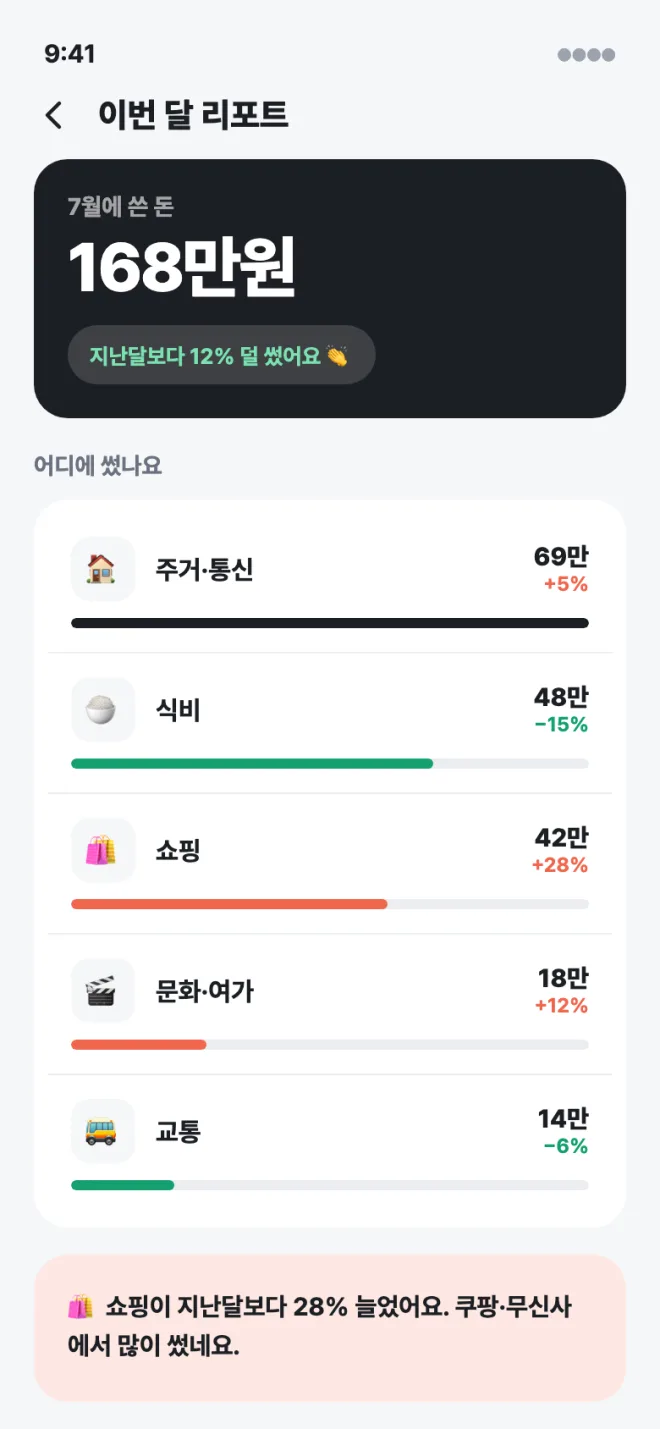
A month on a single screen
No bloated charts. The whole month fits in one view — showing what shifted, not which day was expensive.
03
No bank account linking
Nothing is connected to your bank or card issuer — only CSV files and manual entry. Entries are stored under your own account in the Seoul region, and leave it only when you use an AI feature.
Screens

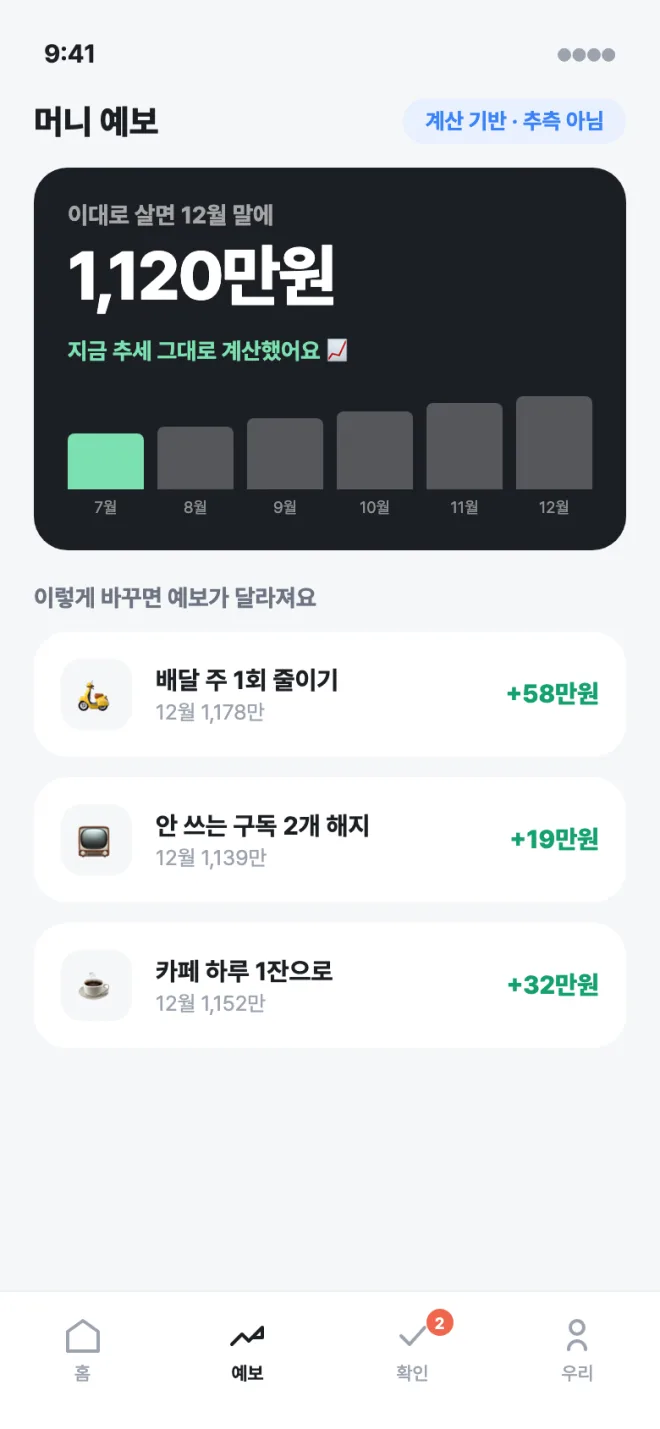
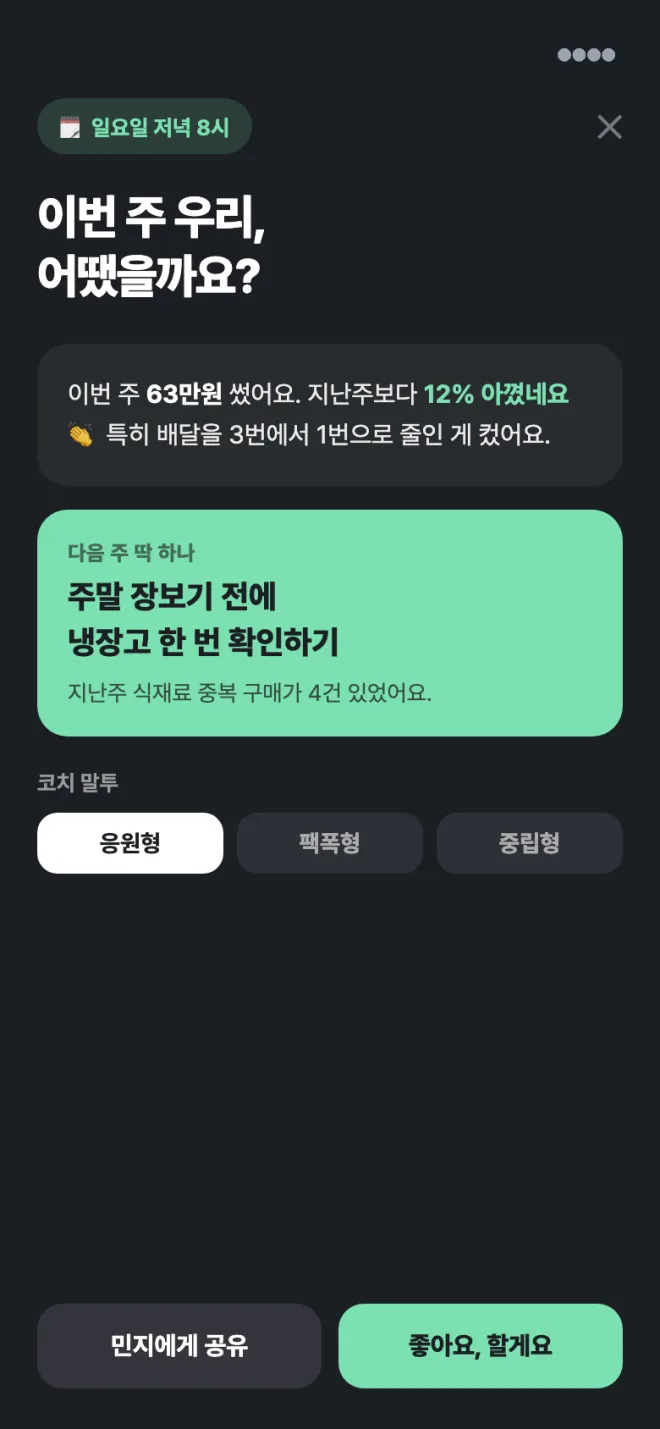

No install, no sign-up
Open the address in your browser and you're in. No bank account is linked, and pasted entries are stored only under your own account.
- No install, no app store — starts in the browser
- Each transaction is processed in your browser
- No account or credential data ever leaves your device
- No ads, no trackers
Contact: macrothinkmicrodesign0@gmail.com
Last reviewed 2026-08-31